InvoPost
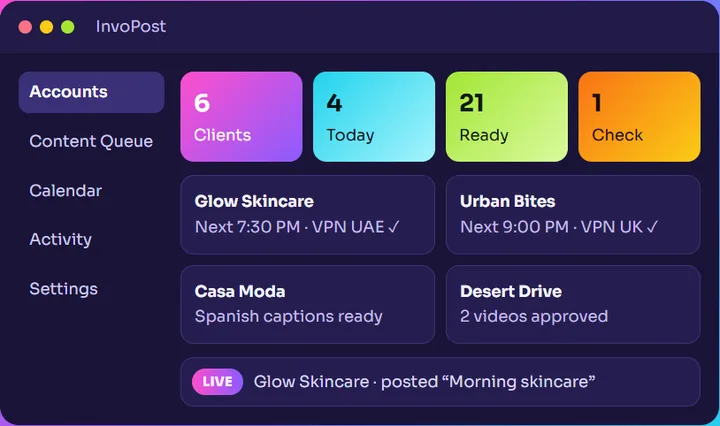
InvoPost by InvoticA Chrome profile per client, AI captions and a posting calendar, all on your own laptop.
Windows 10 / 11 · No account needed · Your data stays on your laptop.
Ready in four steps
- 01
Download & install
Pick any folder or drive. All clients, profiles and videos stay in that folder.
- 02
Add your clients
Name, country, language, posting times and an optional proxy for each client.
- 03
Log in once
Open each client’s Chrome profile and log in to TikTok. It stays logged in.
- 04
Drop videos
Put videos in the client’s folder. InvoPost writes captions, checks them and schedules them.
Everything an agency needs, on one laptop
A Chrome profile per client
Every account keeps its own login, cookies, proxy and VPN. Open or close all of them in one click.
VPN guard
TikTok stays blocked until the profile’s IP matches the client’s country. If the VPN drops, the tabs close.
AI captions
Captions and hashtags in the client’s language, with Gemini or a free local AI on your PC.
Content calendar
Every client’s posts on one calendar, with the video that goes out in each slot.
Safety checks
Each video is checked for duplicates, unsafe frames and caption problems before you approve it.
Backup, alerts, reports
One-click backup and restore, Telegram alerts and monthly PDF reports per client.
Free. Every feature.
$0 every feature
- Install on as many laptops as your team needs
- In-app notice when a new version is out
- No account needed
Questions
Is InvoPost really free?
Yes. Every feature is free right now. If that ever changes, you will see a notice inside the app first.
Does my data go to your server?
No. Clients, logins, videos and captions stay on your laptop, in the folder you chose.
Windows says “Unknown publisher”. Is it safe?
That shows because the installer is not code-signed yet. Click More info, then Run anyway.
Can my team use it?
Install it on every laptop. Each laptop is its own panel with its own clients.
Run your TikTok clients from one panel
Free for every agency. Install it in a few minutes.